
An email newsletter gives social followers another way to hear from you. Build that connection through an invitation: explain what arrives, how often you send it, and where someone can sign up. Keep publishing enough on the social channel for people to discover the invitation and decide whether the newsletter fits them.
A follower count cannot tell you how many people want email. Treat the transition as a small publishing test. Make one newsletter promise, prepare an issue, check the signup journey, and review what happens after people join.
The process below is BrandTofu's editorial recommendation. Product documentation was checked on October 24, 2026. The worked example uses fictional copy and numbers.
Give the newsletter a job
Write a sentence naming the reader and the recurring help you will provide. A gardening creator might send a seasonal growing task with a printable checklist. A design studio might explain one client-approved design decision. A local workshop might share a repair lesson and the next public session.
Decide which material stays on social, which has a public home on your website, and which arrives by email. A short social demonstration can introduce a task. A web article can hold the complete instructions. The email can deliver the next lesson and invite a reply. Those jobs can overlap, but each should be clear to the reader.
Choose a frequency you can keep after research, production, checks, and replies. Prepare the first issue before inviting subscribers. If it takes longer than expected, revise the promise before anyone relies on it. BrandTofu itself promises at most one editorial newsletter in a calendar month. Other publishers should choose and state their own schedule.
For a fictional gardening publication called Cedar Garden Notes, the initial invitation is vague: “Join our newsletter for updates.” A more specific version is: “One seasonal growing task and a printable checklist, sent on the first Saturday of each month. Free. Unsubscribe in any issue.” Each detail creates work the publisher must be ready to deliver.
Create a voluntary signup path
Send people to a form where they can choose to receive the newsletter. Explain the subject, frequency, price, sender, and any confirmation step close to the email field. Link to your privacy information and show a sample issue so readers can assess the content before joining.
Mailchimp's permission guidance defines permission for its service as express, verifiable agreement to receive marketing communication. It recommends retaining a record and says its signup forms record submission time. That is a practical reason to collect subscriptions through a clear form. Following a social page, liking a post, or leaving a comment should not become an automatic newsletter subscription.
Ask for information you need to deliver the stated service. A free digital lesson may only need an email address. A name can be optional. If you plan a printed edition, collect interest first; ask for postal information when there is a defined mailing offer and a reason to use it.
Double opt-in adds an email confirmation before someone becomes subscribed. Mailchimp documents this process as a form submission followed by a confirmation email. If you use it, explain the next step on the success screen: “Check your inbox and confirm your address.” A form submission and a confirmed subscriber are then separate events in your report.
Test the journey before sharing it
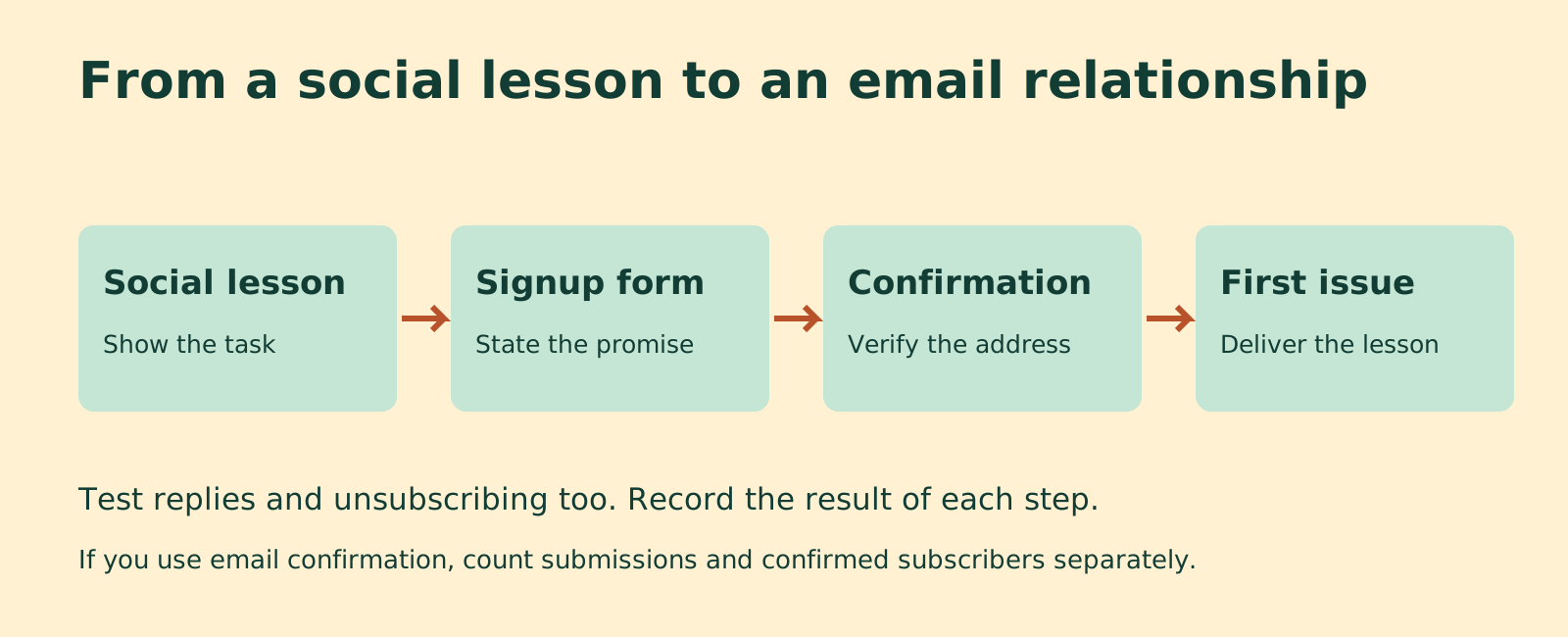
Follow the entire path with an address you control. Start from the public invitation on a phone. Open the link, read the promise, submit the form, complete any confirmation, and inspect the welcome message. Check that the promised sample or download opens and that replies reach a monitored inbox. Then test the unsubscribe route with that test subscription.
Record the actual result of each step. “Form saved” says little about the inbox experience. “Confirmation arrived, the link worked, and the first issue opened on a phone” describes a completed check. If a step fails, fix it before sending more people to it.
Keep the same wording across the invitation, form, confirmation, and welcome email. A monthly lesson advertised on social should not become a weekly sales sequence after signup. A free sample should not lead to an unexpected charge. Review any automated messages that the service turns on by default.
Email software can supply the form and delivery. For example, Mailchimp's current form-sharing instructions describe copying a hosted signup link from Forms settings. The specific controls depend on the service and account you use. Open the copied public link yourself and verify its destination.
Write an invitation people can evaluate
Show a piece of the teaching in the social post, then explain what the newsletter adds. Give readers enough information to choose. Keep the invitation available in the profile or another persistent location the account supports. Repeat it in relevant future posts so people who missed the first appearance can find it.
For Cedar Garden Notes, a post could teach how to check soil moisture, show one example, then say: “The monthly email includes a seasonal growing task and a printable checklist. The sample issue and signup form are here.” This connects the invitation to the material the audience already follows.
A small business can do the same with a task customers recognize. A repair shop might demonstrate a chair inspection and invite people to a monthly maintenance lesson. A consultant might share a worked planning example and offer the next example by email. The newsletter needs a reason to be read beyond the publisher wanting another distribution channel.
For our worked example, we revised the invitation in Dillinger, a public browser Markdown editor. Its basic editor and preview were accessible with no login or payment during our October 24 check. We used it to draft copy, not to collect subscribers or send emails. Any text editor can support the same exercise.
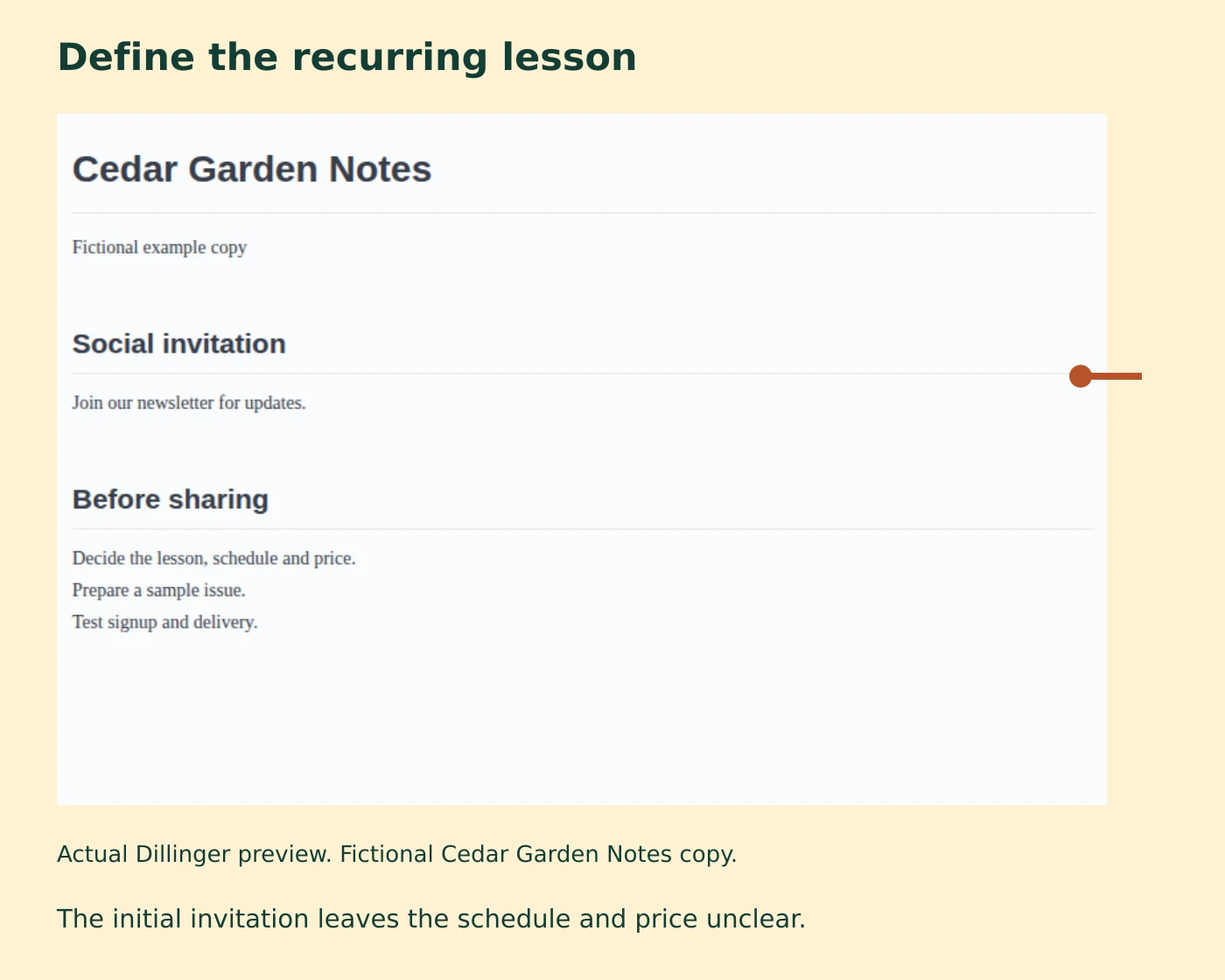
- Name the recurring lesson and its reader.
- State the delivery schedule and price.
- Explain the signup and confirmation steps.
- Prepare the sample issue and test the public path.
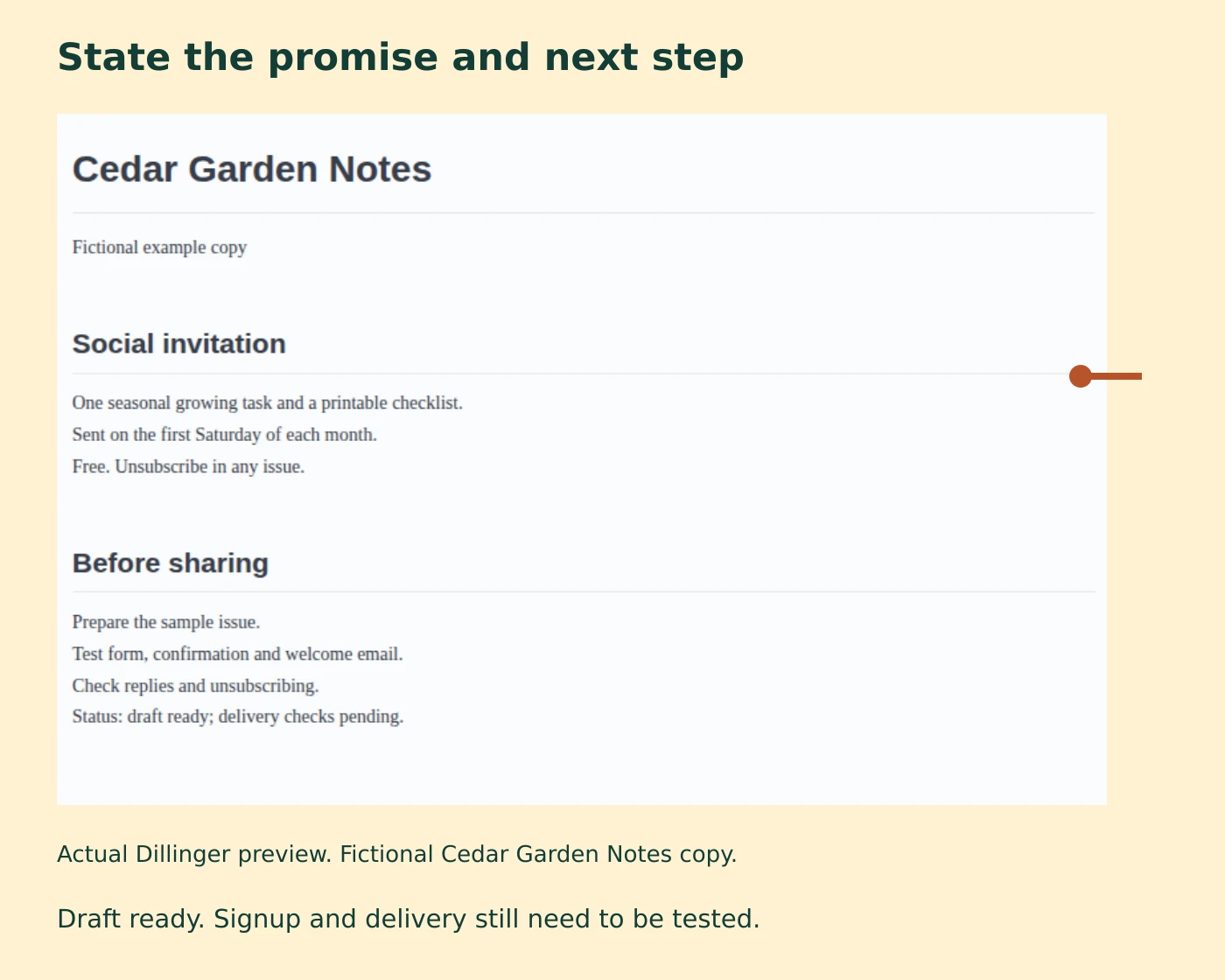
The completed draft is ready for a delivery test. It does not establish that a signup form works or that anyone has subscribed. Keep those results separate in your own record.
Keep the existing conversation open
A creator's public question about future publishing channels prompted this article. The creator was considering a blog, a newsletter, and print while weighing the relationships built on a social page. That is a wider publishing decision than choosing an email service.
Readers may value different parts of the current experience. Some want the lessons in their inbox. Others come for questions, comments, and conversations with fellow readers. Ask what they would use, then test that specific experience. A preference expressed in a comment is a research clue; a completed subscription and a response to an issue provide different evidence.
If you can continue the social channel, use a transition period to maintain the public conversation while testing email. Publish teaching there and answer relevant questions. Explain any future change in frequency so people know where to find you. A newsletter can invite replies, but it may not reproduce the public discussion that readers enjoyed.
If account access is unavailable, put the invitation on destinations you still control, such as your website. Use established, permitted communication routes to tell people where it lives. Keep recovery of the original account as a separate task. Adding an email channel does not resolve an account dispute or establish how a platform uses public content.
Preserve records you can use later
Choose a service with an export path you can inspect. Keep editable content, original images, domain information, and subscription records in organized storage. An email list still depends on software and delivery services; portable files make a future move more manageable.
Ghost's export documentation, for example, describes separate exports for content and members, including member labels and subscription status. Check your own service's fields before assuming that an address-only file contains everything needed for a move.
Keep subscription status and available permission records with the addresses. Preserve unsubscribe information during a migration so a move does not restart messages to people who opted out. Restrict access to subscriber files and use them for the purpose people agreed to. After a migration, test the signup, delivery, reply, and unsubscribe paths again.
Review response with separate counts
Record invitation reach or impressions under the social platform's definition, visits to the signup page when measurable, form submissions, confirmed subscriptions, delivered emails, replies, unsubscribes, and production time. Give each number a period and source. These counts describe different stages and may come from different systems.
In a fictional pilot, 200 measured signup-page visits produce 40 submissions and 30 confirmations. That is a 20% submission rate among measured visits and a 75% confirmation rate among submissions. It does not show that 20% of all social followers want the newsletter. The next check is what happened to the ten unconfirmed submissions: inspect the confirmation message and delivery path before changing the newsletter's subject.
Once issues are sent, read the questions and completed actions that follow. Check bounces and unsubscribes alongside tracked engagement. Mailchimp explains that automated activity can inflate both opens and clicks, including activity from security scanners and privacy features. A high open rate alone cannot establish that readers understood the lesson.
For a printed edition, make a separate pilot plan. Define the issue, quantity, delivery area, printing and postage costs, and how people will order or request it. A downloadable printable issue can test the reading format, but it does not test physical delivery or willingness to pay. Keep the digital newsletter running at its promised frequency while you assess that additional workload.
After the first issues, choose the next change from the observed obstacle. Few visits suggest reviewing the invitation's placement and audience fit. Visits with few submissions suggest checking the promise and form. Subscriptions with little response suggest reviewing the actual issue and asking readers what they tried. Change one part, record the result, and keep the promise consistent wherever people encounter it.