
A product update can leave an accurate lesson wrapped in a misleading demonstration. The idea still applies, but the button has moved, the plan has changed, or the screen shows a task customers can no longer complete. Keeping marketing content current starts with knowing which part depends on the product, who will check it, and where the published versions live.
Give each asset a small maintenance record. Connect that record to the claims, screens, and conditions that could change. When a release arrives, use those connections to decide what to check, what to replace, and what to tell the people who still encounter the older version.
This is BrandTofu's editorial process, illustrated with fictional product examples. Platform capabilities were checked on October 23, 2026.
Check the task before judging the age
Open the content and try the action it teaches using the relevant product version and account conditions. Write down the result. A publication date tells you when a piece appeared; it does not establish that the advice still works.
The MediaWiki documentation audit guide makes this distinction explicit: revision dates and freshness can diverge. Its checks include accuracy, changed component names, missing information, and responsibility for maintenance. Those checks also apply to educational marketing.
A color change may leave a demonstration understandable. A renamed menu may need a note beside the relevant instruction. A removed feature can invalidate the task. A lesson about choosing a chart may remain accurate across several interface changes, while a clip promising a particular export format needs a fresh product check.
Use a sentence that describes the consequence: “A first-time user cannot find the export control shown at 0:18.” That is specific enough to assign and verify. “This video looks old” leaves the required change unclear.
Build a register of published assets
An asset register is a list of content and the information needed to maintain it. Start with the surfaces people use to understand what your product does: introductory pages, prominent demos, comparison pages, active ads, creator posts, and the material your team shares in conversations. Add the rest of the library in manageable groups.
For each asset, record:
- The public URL, intended reader, and task or claim.
- The feature, screen, plan, integration, or other condition it depends on.
- The editable source and any separate recording, script, captions, or image files.
- The owner, product reviewer, and last completed task check.
- The release or scheduled review that should trigger another check.
- The decision, replacement destination, and verified public result.
A document, spreadsheet, or shared board can hold this information. Use a format the people making releases can read and update. GOV.UK's content maintenance guidance describes audits, review information, regular monitoring, and coordination between responsible content teams. Its publishing tools are specific to government; the general lesson is to make upkeep an assigned activity with an inspectable record.
A dependency is something the content relies on. “Export workflow” is a dependency; “marketing video” is the asset type. Naming dependencies lets a release owner find the affected material even when its title contains different words.
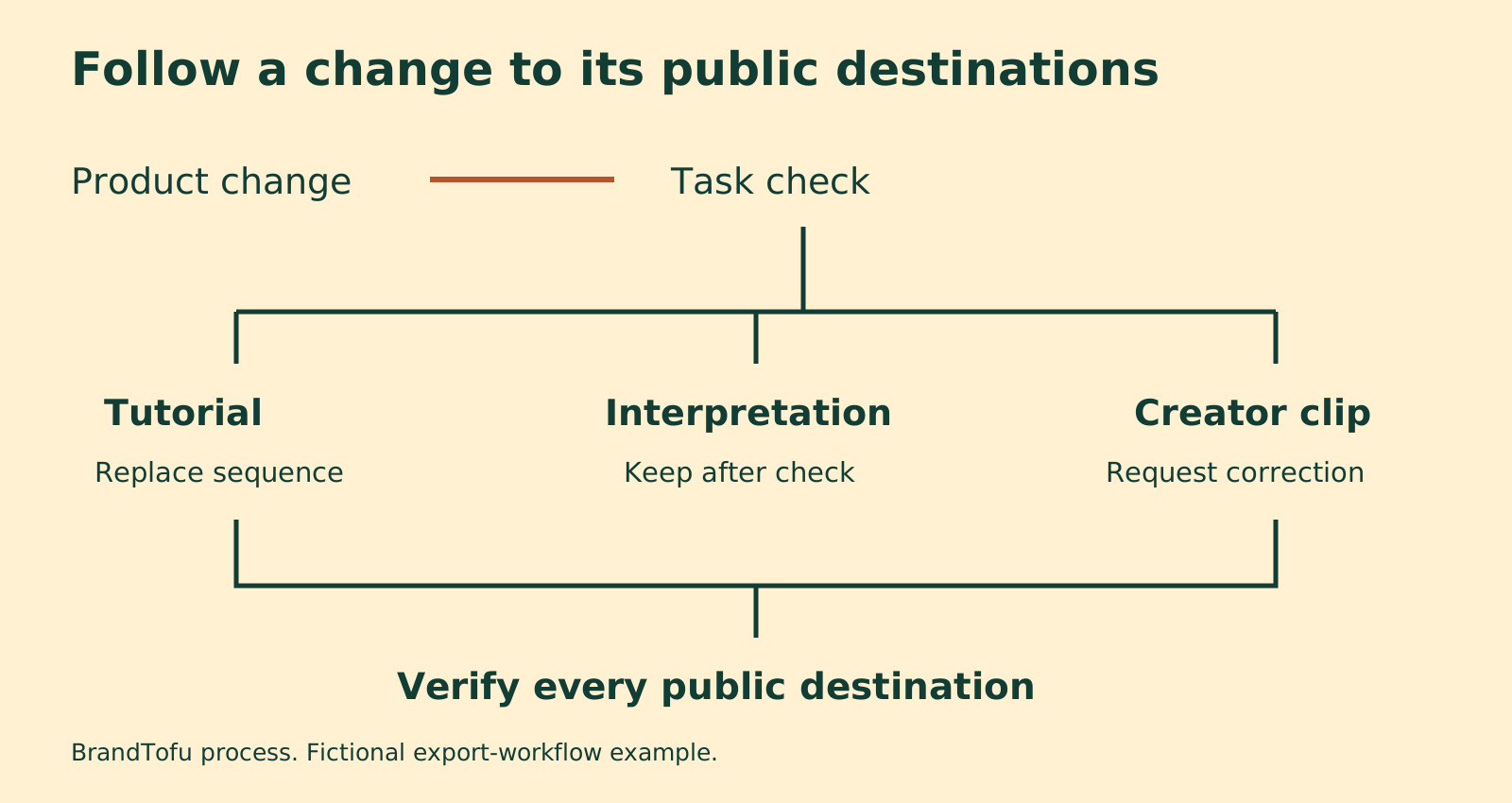
Sort the change by what the reader needs
Use the result of the task check to choose an action.
Keep and record the check. The teaching and instructions still work. A conceptual lesson about interviewing customers may need no visible revision after a dashboard redesign. Record what was checked and when; leave the original publication history accurate.
Add a precise correction. The task remains possible and a short note can make the older content understandable. For example: “The export control is now under Reports. The file and remaining steps are unchanged.” Place the note where someone following that instruction will encounter it. A note buried below unrelated links may be missed.
Replace the affected section or asset. A changed sequence, eligibility condition, or result needs a new demonstration. Recheck the introduction and closing claims too. A fresh screen recording can still be misleading if the narration describes the old plan.
Withdraw or clearly mark the older guidance. The task is unavailable, the promise is false, or the old instructions could lead someone to a harmful mistake. Stop active distribution while the owner decides what replaces it. Preserve records and source files so the decision can be understood later.
These actions depend on the content's consequence and the venue's controls. A cosmetic mismatch in a general introduction and an incorrect claim in a paid campaign need different responses. Assign an owner and a deadline from that consequence. Treat a stopped task or false product promise as an issue to address before sending more people to the asset.
Worked example: an export control moves
A public LinkedIn question about fast-changing products prompted this guide. The writer described videos and creator posts becoming outdated as interfaces changed. That problem applies to any team teaching a task through a product that continues to develop.
Imagine a fictional reporting app called Cedar Reports. A release moves CSV export from a dashboard button to a Reports menu. CSV means comma-separated values, a plain-text table format. The export remains available on the same plan. This is invented example data, not a report of a real product update.
The team finds three connected assets: a tutorial, a lesson about interpreting exported numbers, and a creator's demonstration. Each depends on a different part of the experience.
For the tutorial, someone follows the old steps in the new version and confirms that the button is missing from the recorded location. The team assigns a replacement screen sequence and checks the narration and captions around it. For the interpretation lesson, they repeat the example with a current export. The columns and explanation still match, so they keep it and record that check. For the creator clip, they contact its publishing owner with the changed step and proposed correction.
We prepared the register in Dillinger, a browser Markdown editor. Its public site currently offers basic editing and live preview with no account or paid tier; we checked that access on October 23, 2026. Any text editor or spreadsheet can hold the same record. Markdown uses simple marks such as ## to format headings.
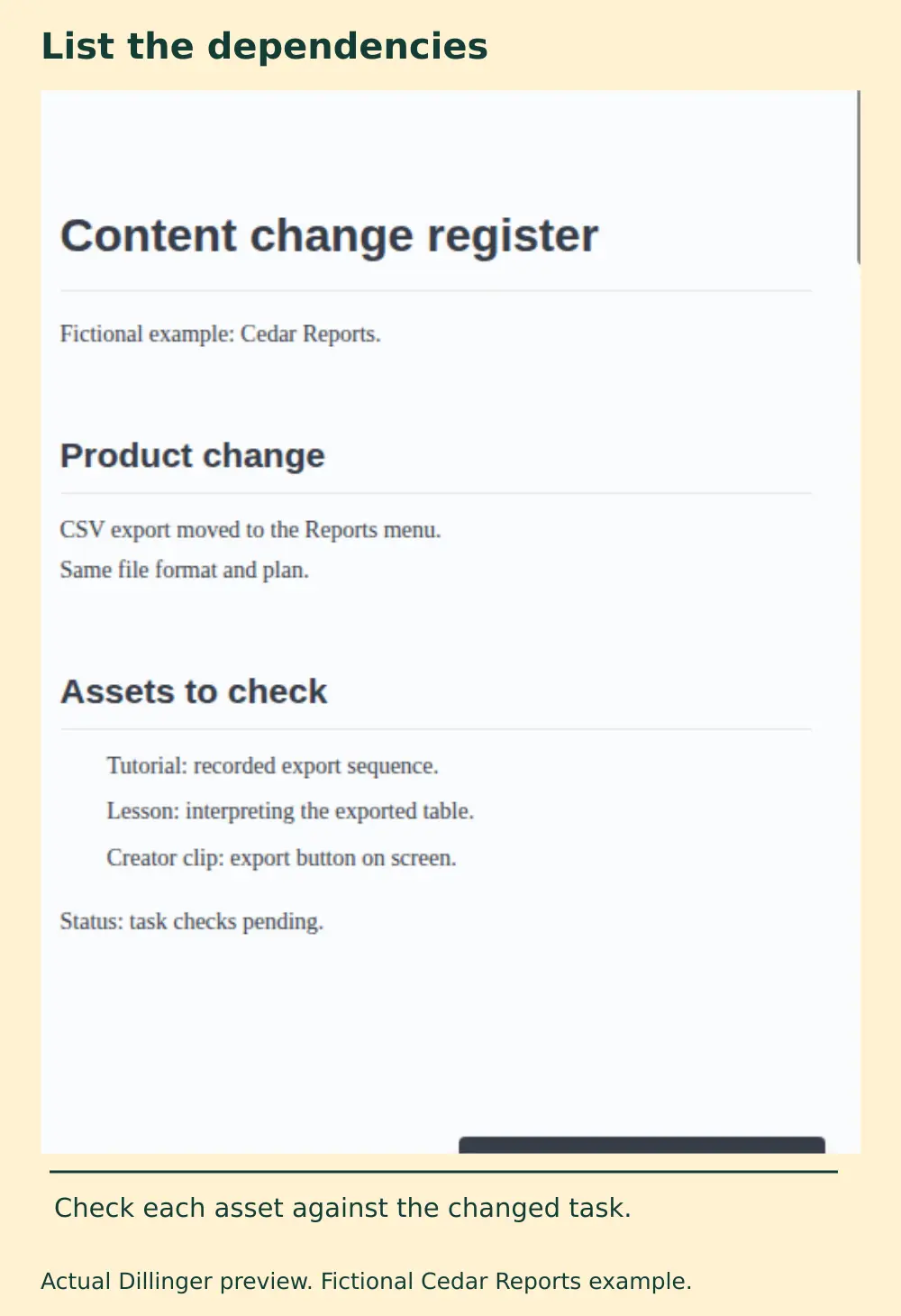
- List the changed behavior and the evidence needed to confirm it.
- Give each asset its own decision and owner.
- Record the replacement or correction action.
- Check the published destination and mark that result separately from the editing work.
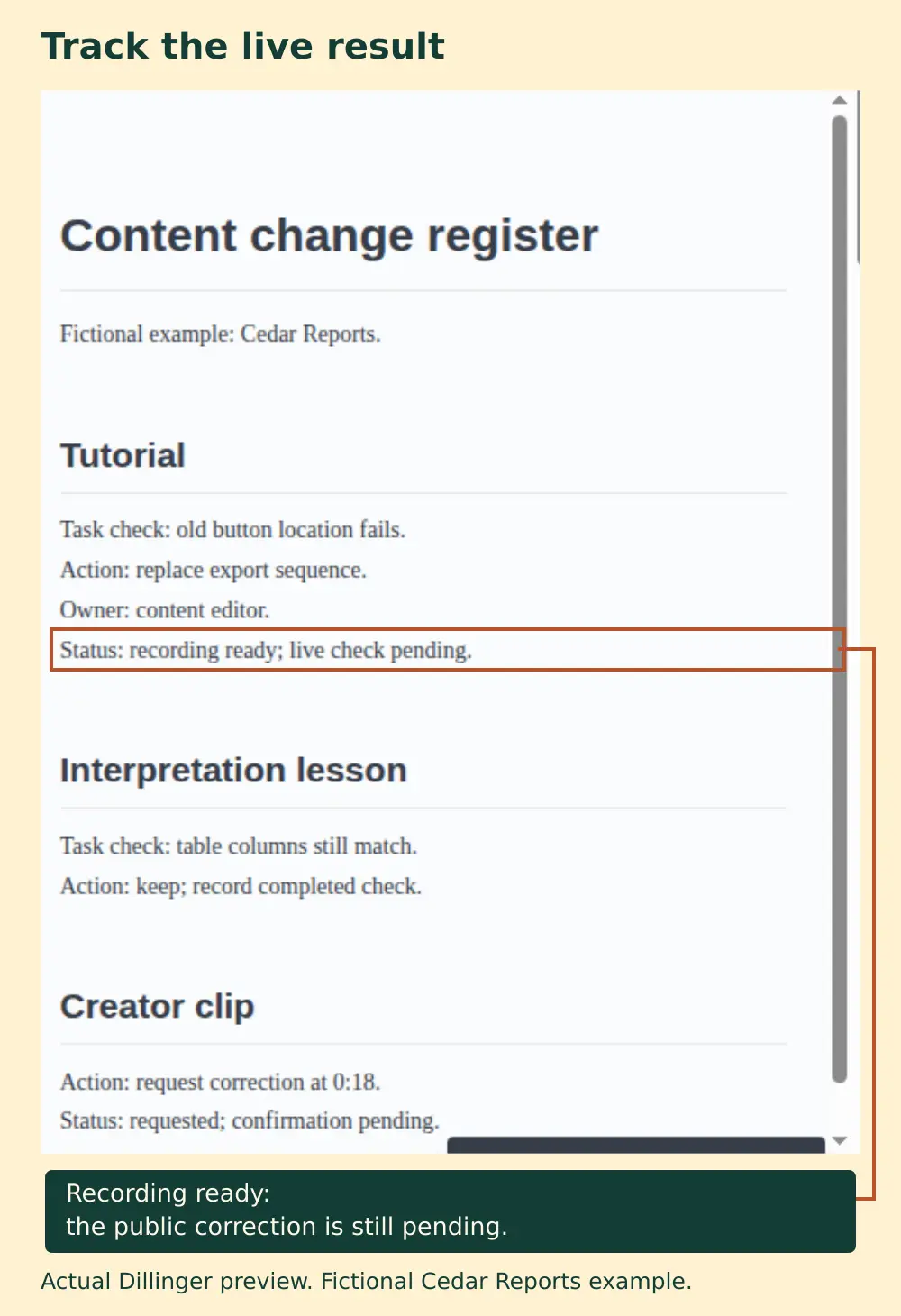
The register can say “replacement recording ready” while the public tutorial still shows the old screen. Keep the item open until somebody checks the destination. For a creator post, “correction requested” also stays open until the creator confirms the action and the team can inspect it.
Make the next production easier to revise
Organize the source around parts with different rates of change. Keep the audience problem and explanation in one section, the product demonstration in another, and changeable availability details close to their evidence. Save narration, screen recordings, illustrations, captions, and the assembly project as separate files.
For example, a tutorial might explain why a team exports a report, show the export sequence, then interpret a sample table. If only the control moves, a separate demonstration section gives the editor a bounded replacement job. It still needs a complete review after assembly: adjacent narration, cursor timing, zooms, captions, and links may also need changes.
Put version or account conditions next to instructions when they affect what a reader sees. “Recorded in the October release on the Team plan” has a purpose if other plans have different controls. A decorative date alone gives the reader little help.
Use cartoons and diagrams for relationships they can explain clearly. Record the real product when the lesson depends on its actual controls and results. Generated footage cannot establish how a current interface works.
Plan the public correction path
The editable file and the published asset are different things. Check what each destination lets you change before promising a small repair.
YouTube's replacement guidance says an uploaded video cannot be swapped for a replacement file at the same URL. A new upload receives a new URL. Existing videos have other editing options, including trimming and changes to the title or description. A new screen sequence may therefore require a new upload and updates to the pages that embed it.
YouTube also documents a correction format for descriptions: an English “Correction:” or “Corrections:” label, followed on a separate line by a timestamp and explanation, after any chapters. The feature has eligibility limits. Preview the actual result on your video. Use a replacement when viewers need a corrected demonstration to complete the task.
Keep a list of inbound uses: article embeds, campaign landing pages, scheduled posts, sales material, and creator references. Update the destinations you control. Where older material stays public, identify its scope and direct people to the current instructions in a place they can see.
For creator content, agree during planning who owns the files, who can request a factual check, and how corrections or replacement clips will be handled. Record those arrangements in the existing brief. Follow the agreed permissions for reuse and edits. Send the creator the exact changed claim or timestamp, the current evidence, and a proposed action. Leave the status as requested until the live result is confirmed.
Connect maintenance to releases and reader feedback
Add a content-impact question to the release handoff: which published claims, tasks, screens, or availability details change? Product reviewers can name the changed behavior. Content owners can find the related assets and assign checks. A small release may affect several surfaces; a large release may leave a durable lesson accurate.
Use scheduled reviews to catch changes that miss that handoff. Set the interval from the asset's dependencies and consequence. A frequently changing demo may need review at each relevant release. A general educational guide may have a longer interval, with an earlier check when a reader reports a problem. These are planning choices, not universal deadlines.
After a repair, ask a colleague who did not make it to follow the public path. Can they find the current instruction, complete the task under the stated conditions, and recognize any limitation? Record what they actually did and fix the remaining obstacle. A corrected owned page can improve the information available to readers and other publishers; it does not guarantee when an external post or AI answer will change.