
A creator collaboration post gives two people or organizations a shared piece of work to present to an audience. Plan the lesson, each person's contribution, and the publication arrangement before sending a platform invitation. That makes the invitation part of an agreed project.
A small business might film a maker explaining a material. An educator might invite a practitioner to demonstrate a technique. A software company might work with a creator on a tutorial. In each case, the audience needs a reason to watch, and both contributors need to understand what their names will appear beside.
This process is BrandTofu's editorial recommendation. Sources and the browser editor were checked on October 20, 2026. Platform controls can differ by account, format, and publishing surface. The worked example below is fictional; it reports no campaign results.
Start with a lesson both audiences recognize
Write one sentence that names the viewer and what they will learn. “A creator spotlight” describes a format. “Help a first-time pottery buyer understand why a bowl's rim changes how it feels in the hand” gives that format a subject.
Then explain why the pairing makes sense. The potter contributes knowledge of materials and construction. A homeware shop contributes questions from people choosing their first handmade piece. Someone who follows either account can understand the demonstration.
Look through the prospective collaborator's recent work and the questions beneath it. Check the subject, language, location when relevant, and level of prior knowledge. A large audience may have little interest in the lesson you plan to teach. A smaller specialist audience may ask the exact questions your example addresses. These are observations to investigate, not a prediction of reach.
Meta's creator marketplace explanation describes searching creator and audience attributes and reviewing portfolios before agreeing on a project. You can apply that order manually: inspect the work, understand the audience, then discuss the contribution. Access to a marketplace is optional for this planning process.
Choose credit or shared authorship
Credit tells the reader whose idea, image, demonstration, or quotation they are seeing. Shared authorship presents the finished piece as a joint publication. Decide which relationship describes the work you have actually agreed to make.
A public Facebook question from a creator illustrates the choice. The creator runs a weekly spotlight using other creators' prompts, then sees an option to tag the prompt creator or invite them as a collaborator. The decision starts with the relationship: are you acknowledging an inspiration, or have you agreed to publish that spotlight together?
For an independently made response to a prompt, name the prompt's creator and explain what you used. Link or tag the correct account where the platform supports it. Check the creator's stated reuse terms and ask about any unclear use of their material. A tag alone does not establish that the creator reviewed your work or agreed to share it.
For a planned spotlight, send the proposed subject and finished draft through the communication route you have agreed to use. Ask whether the creator wants to be presented as a coauthor. If they agree, use the supported collaboration option after checking its explanation in the actual publishing account. If they prefer a credit, publish the approved credit and retain that preference for the next spotlight.
Instagram provides one documented example of shared authorship. Meta's Collabs announcement describes coauthored posts appearing on collaborators' profiles after acceptance. That announcement concerns Instagram. Check Facebook's own controls and current help for a Facebook post; a similar label does not establish identical behavior across the two services.
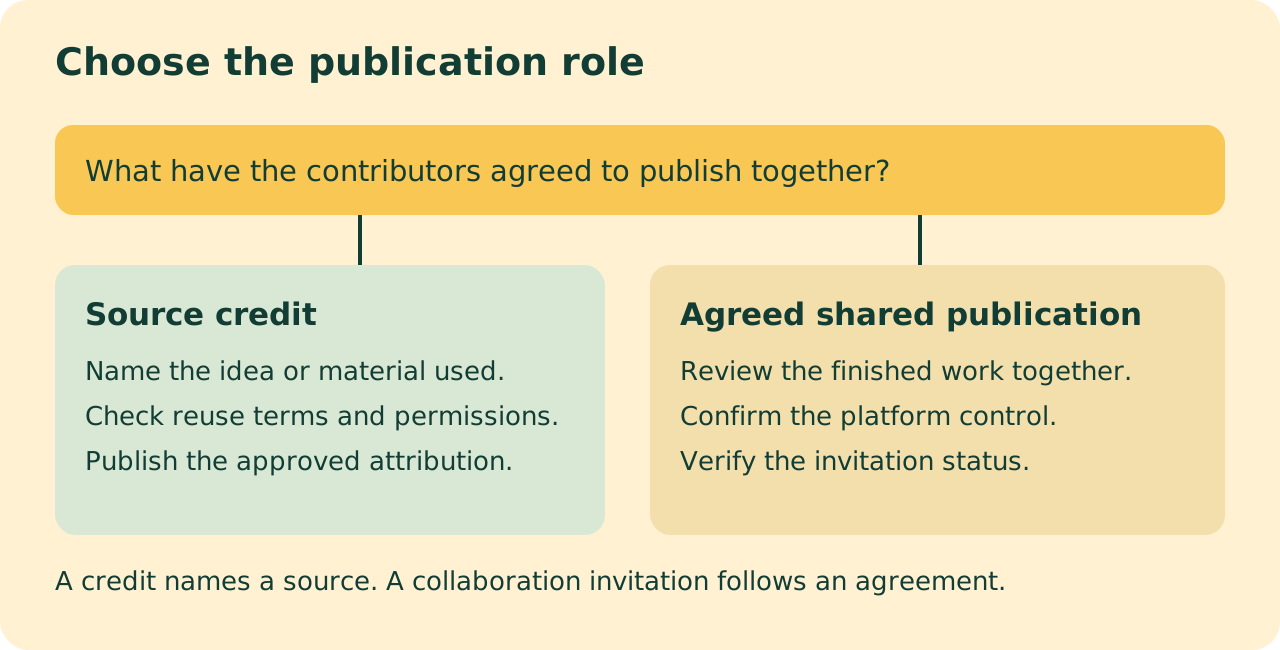
The same distinction applies to other common situations. An interview can credit its guest while the host publishes it. A joint demonstration can be presented by both contributors after review. A customer story needs the customer's agreement to the identifiable material and claims. A paid creator project also needs clear commercial terms and disclosure; the collaboration invitation does not supply those terms.
Write a small collaboration brief
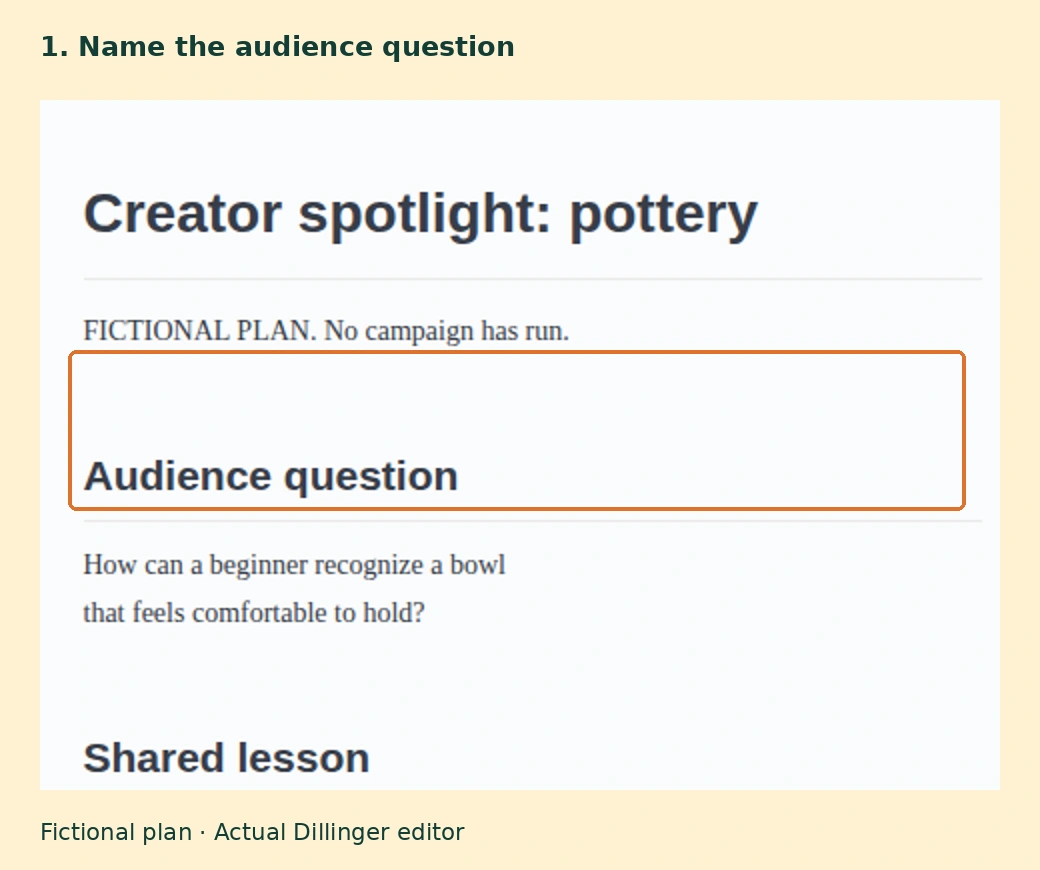
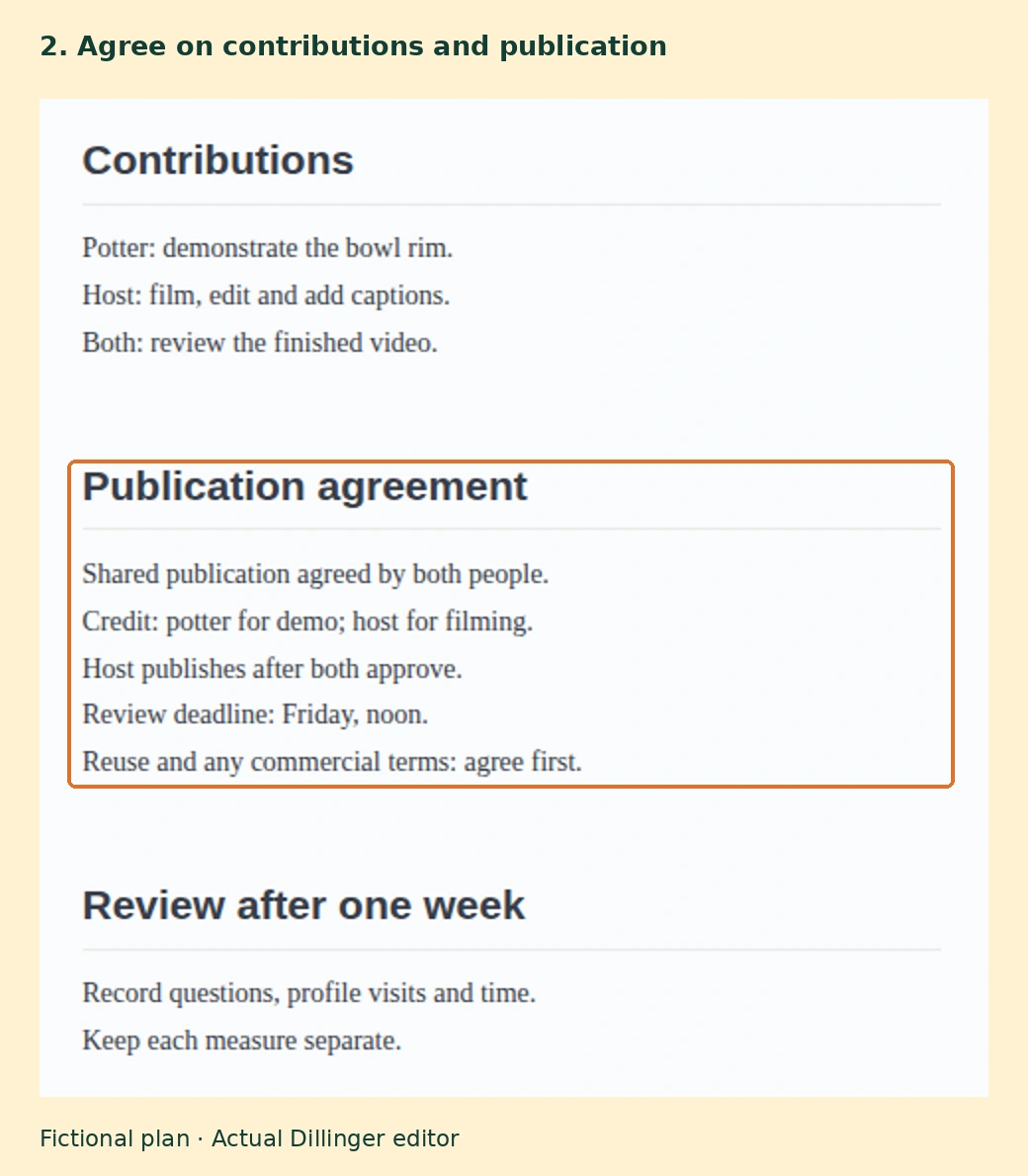
A brief is a shared record of what you intend to make. Keep it short enough that both people can review it before work begins. Record the audience question, contributions, permitted use of materials, publication owner, credit, review deadline, and intended next step for the viewer.
In our fictional pottery example, the potter demonstrates how a rounded rim feels when lifting a bowl. The host records and edits a short video. Both review the finished clip. They agree to shared publication, with the potter named for the demonstration and the host named for filming and editing. The clip invites viewers to ask a question about choosing a bowl.
The example uses Dillinger's browser editor. Its basic writing and preview functions were available during this check with no sign-in or payment. An ordinary document can hold the same brief. The software is a place to record the decisions; the agreement comes from the people involved.
- Open a blank document and label any invented example data.
- Write the viewer's question and the lesson the post will teach.
- Add what each person supplies, who reviews the finished work, and who publishes it.
- State the agreed publication role and exact credit. Record any payment, gifted item, reuse, or advertising arrangement separately.
- Save or export the brief, then share it through your agreed review process.
For a software tutorial, replace the pottery lesson with a specific task, such as importing a public sample file and checking the result. Name the product version used and agree who will review the video if the interface changes. For an interview, agree on the subject, excerpts, attribution, and factual review. For a maker spotlight, record which photographs, designs, or demonstrations can appear and where the finished piece can be reused.
If payment, gifts, or free services are part of the relationship, make that arrangement explicit. Meta's explanation of commercial creator partnerships says its branded-content policies require labeling paid partnerships that involve an exchange of value, including gifts and free products or services. Check the disclosure requirements that apply to your location and platform before publication.
Review the work and verify publication
Review the exported file and its caption together. Check that the lesson is understandable, names and credits are accurate, subtitles match the audio, and the claims stay within the evidence. Agree on corrections before either person publishes.
Check the source of every visible asset. In its March 2026 original-content guidance, Meta says duplicative posts and minor changes to another creator's work can be deprioritized. Adding a collaborator name is not a substitute for making the contribution clear. A filmed explanation of a decision gives the viewer something specific to learn.
Before sending an invitation, confirm the correct account, visibility, and publication format. Read what the collaboration control says it will do. If it is unavailable in your account, agree on a supported publication arrangement, such as one approved post with explicit credits. Keep the agreement in the brief.
After publishing, reopen the live post. Verify the file, captions, credit, visibility, links, and collaboration status. Distinguish an invitation sent from an invitation accepted. Ask the collaborator to check their own view when the arrangement involves their account. Record the live URL so a later correction reaches the existing post.
Review the response against the lesson
Choose a review window before publication. A week is a reasonable starting point for this small example; some audiences will need longer. Record the measures your account actually supplies and what each measure can tell you.
Views describe playback or distribution under the platform's definition. Relevant questions can show what the audience wants explained next. Profile visits can indicate interest in a contributor. Visits to a linked resource can show a next action. Keep those counts separate, and retain the platform's definitions beside them.
Ask each contributor what they observed. If people repeatedly ask how heavy the bowl is, the next spotlight could show lifting different sizes. If viewers misunderstand who made the object, revise the on-screen credit and introduction. If both contributors spent much longer than planned, simplify the recording or review process before repeating it.
For an ongoing series, retain the approved brief, editable assets, live URLs, response notes, and production time in your social content publishing workflow. Choose the next collaboration from the question it can answer and the work both people can commit to.